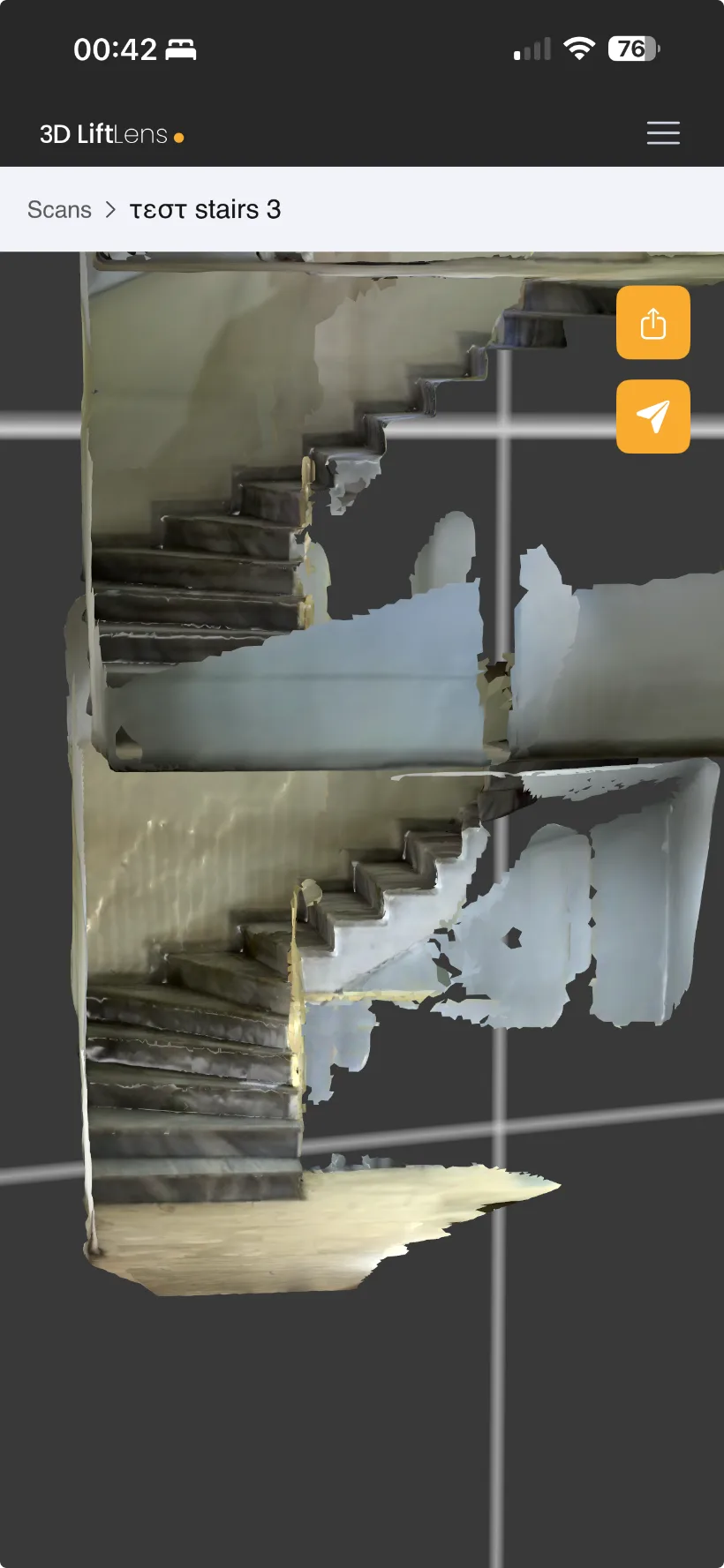
Twenty minutes from arriving on site to a shaft PDF you can order from.
From the moment the technician reaches the building to the moment the PDF lands — pit, travel, headroom and the narrowest clear width, measured automatically by the web app — about twenty minutes pass.
Nobody in that chain needs technical measuring skills.
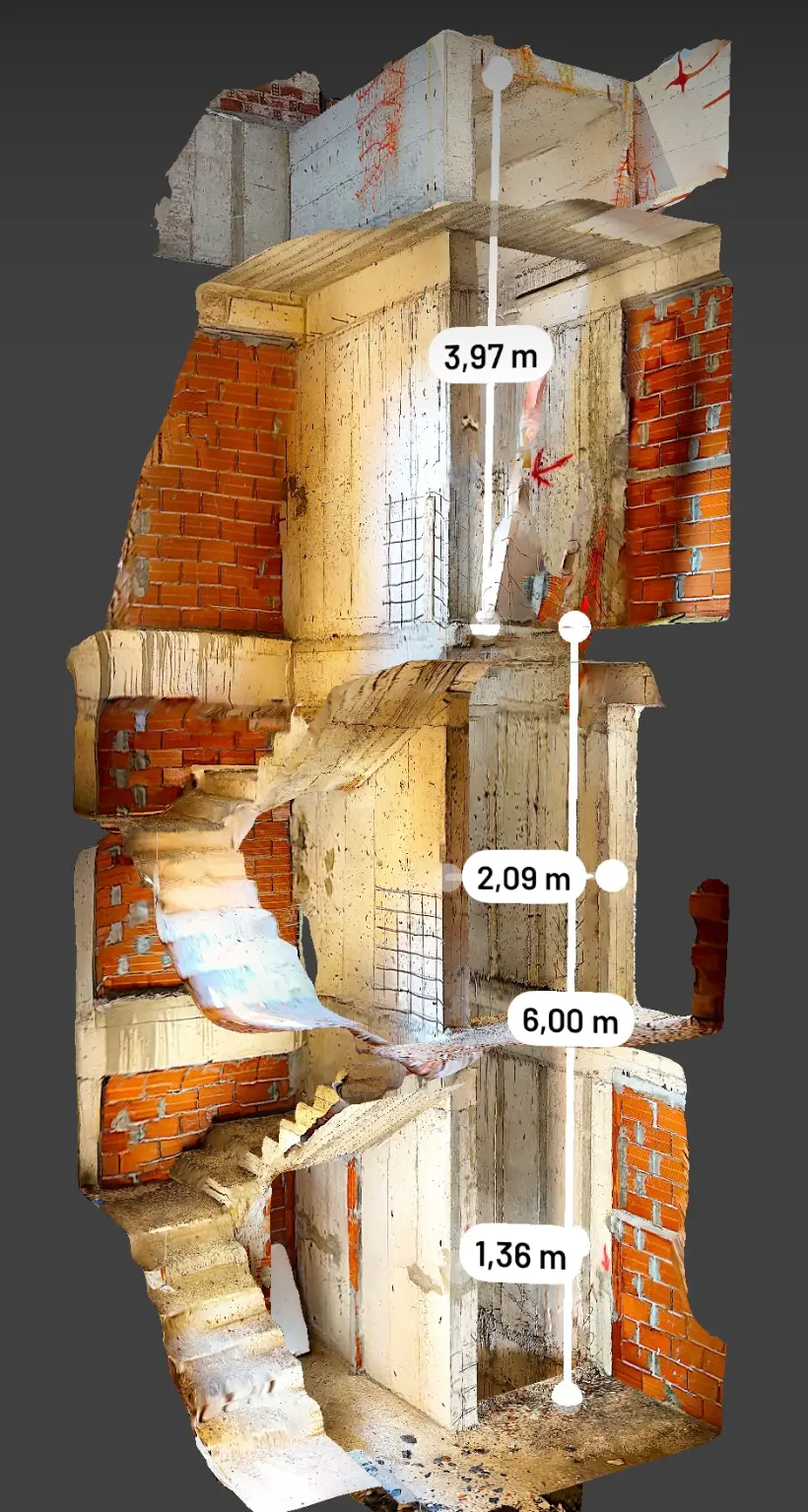
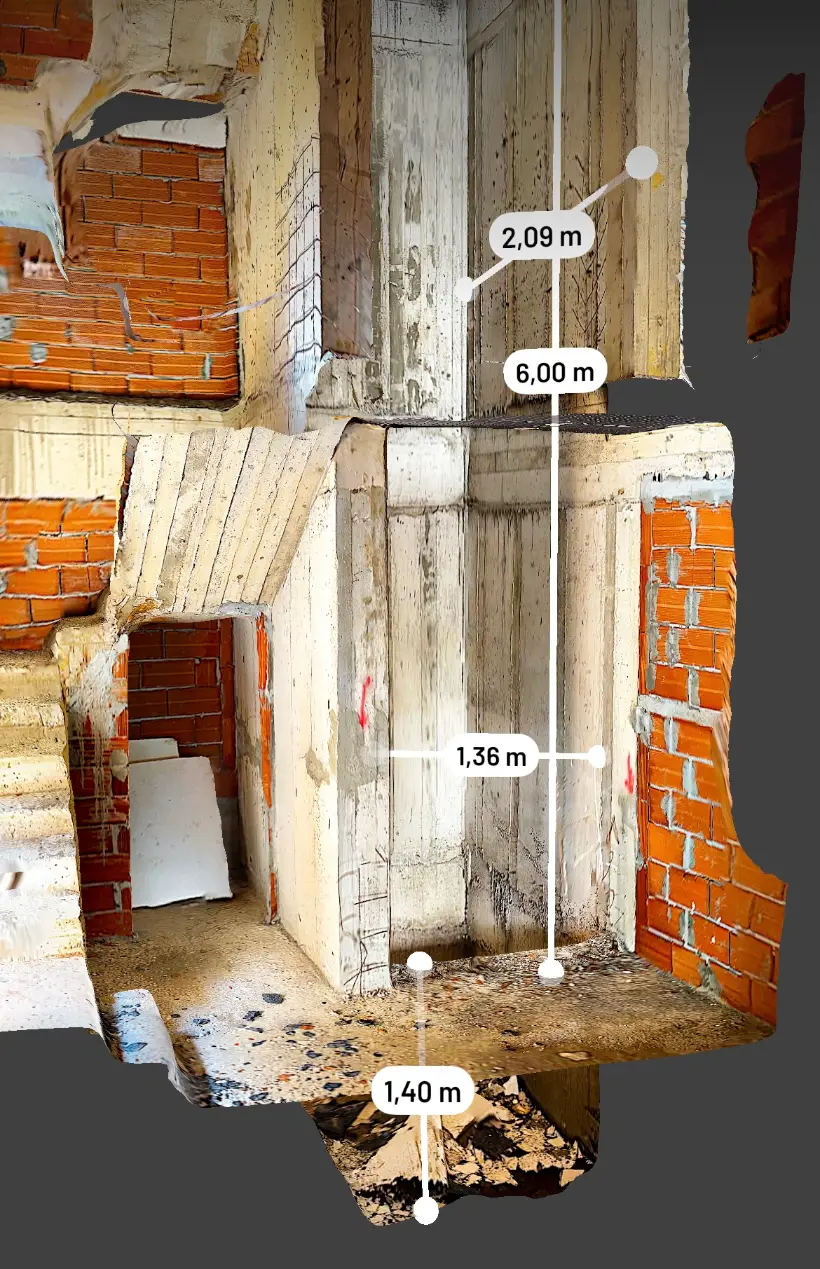
Real capture — dimensions read off the model, not the tape
The whole job, four steps
Arrival to PDF · about 20 minutes
STEP 01
Scan from the landing
Open the app, name the project, hold the phone at the shaft entrance and move steadily. No shaft entry, no ladder, no second visit.
STEP 02
It uploads itself
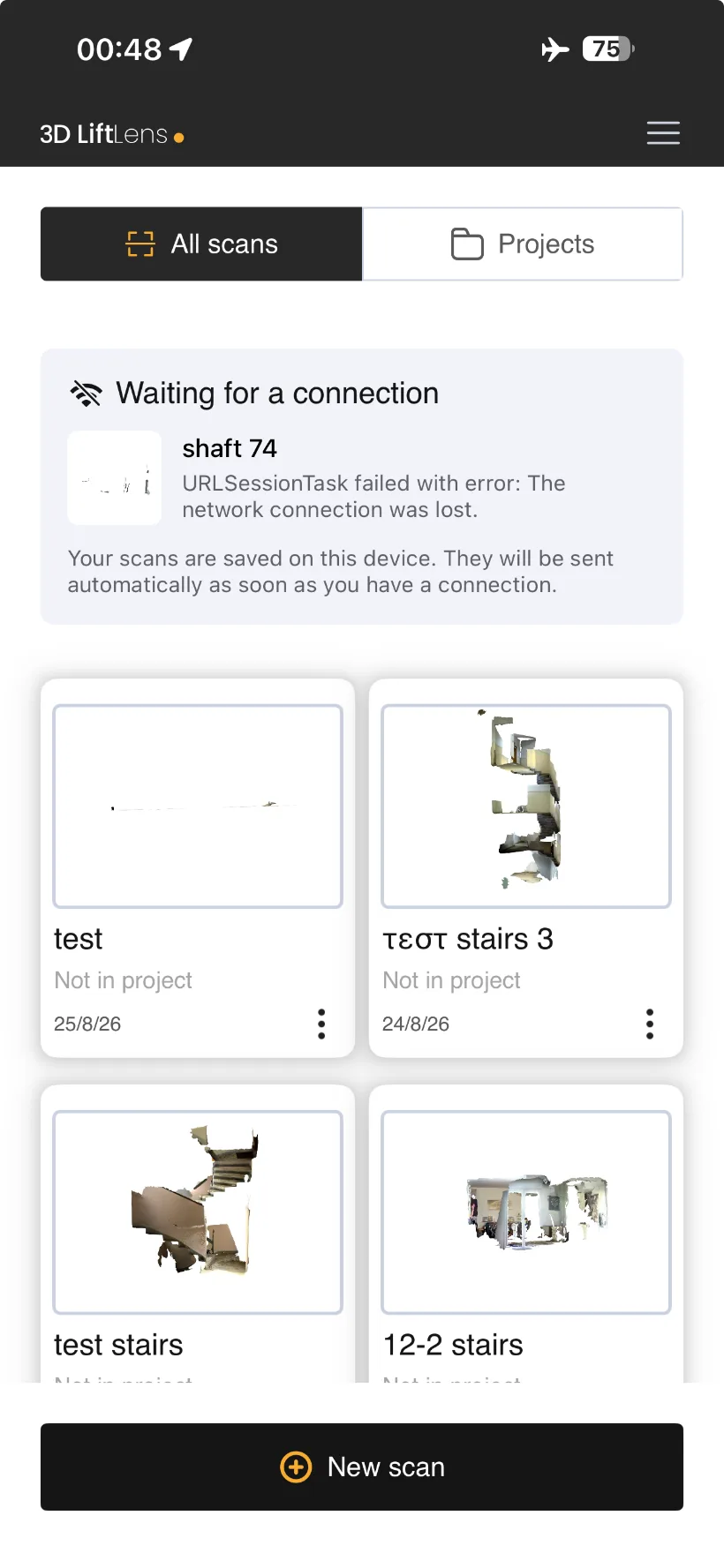
The scan syncs to the web platform as soon as there is a connection. If the basement has no signal, it waits on the device and sends later.
STEP 03
The platform measures
Pit, travel, headroom and the narrowest clear width are taken off the model automatically. Anything else you need, you measure by clicking two points.
STEP 04
PDF out, order in
Export the shaft sheet or send it straight to an engineer. That document is what the lift gets ordered against.
Laser accuracy, with the evidence attached.
A laser gives you a number. It does not give you the shaft. 3DLiftLens keeps the photorealistic model behind every dimension, so a measurement can be checked, re-taken or questioned months later without anyone driving back to the building.
And the narrowest point of the shaft — the one that decides the car — is recorded automatically instead of being hunted for by hand.
Tape & laser
Numbers on a notepad. Trust the person who took them.
3DLiftLens
Numbers with the shaft attached. Re-measure any time, from anywhere.
Clear width 1,36 m · pit 1,40 m — measured in the browser
The measurement nobody takes
A tape measure reads the shaft where a person can stand.
3DLiftLens reads it every 10 cm over the whole height and reports the narrowest one it finds. On our own test shafts, the widest and the narrowest point were 5 to 15 cm apart.
Those centimetres are the car that comes back.
5–15 cm
between the widest and the narrowest point, on real shafts
10 cm
one reading every 10 cm, over the whole height
Where it does not work yet
In a shaft already full of equipment, one of our five test scans could not be located automatically. You still get the model and the measuring tools — but the automatic figures need a shaft the scan can actually see.
The deliverable
This is what comes out.
Not a 3D model for someone else to interpret — a survey sheet with the figures already taken, the narrowest point already found, and a link back to the scan they came from.
shaft 198 · lift shaft survey · 27 August 2026 · dimensions in metres
Narrowest clear opening: 1.68 m × 2.19 m, at 1.10 m above the lowest stop.
Furthest out of true: 1.8° against the pit — 0.04 m at the corners, at 0.00 m.
Read from the scan itself, not from a measurement drawn by hand.
On the phone, in the office
One app for the field, one platform for everyone else. Scans, dimensions and project history stay in the same place.
Works with no signal
Scans are held on the device and sent automatically when the connection comes back.
Every storey, one model
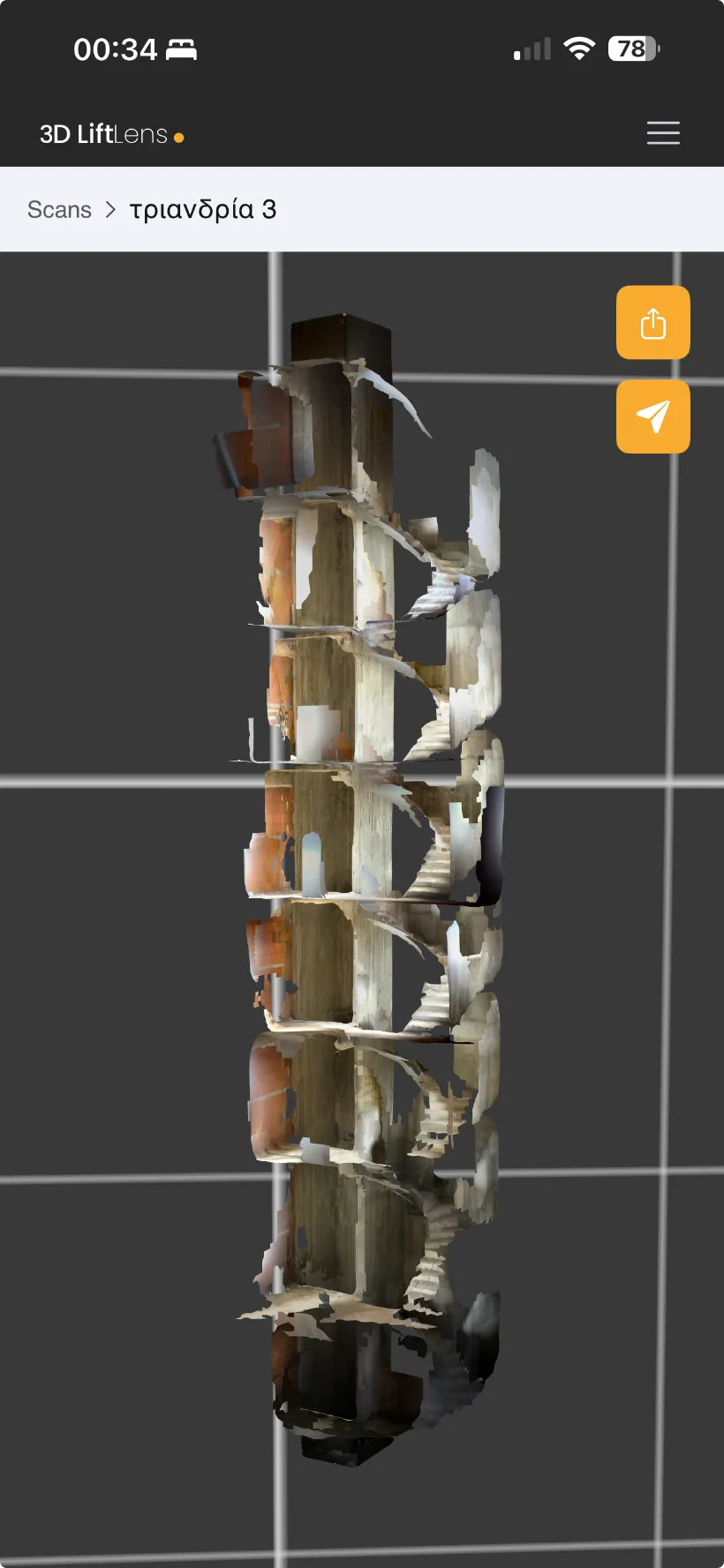
The whole shaft in a single capture — landings, sills and obstructions included.
Send it on, keep the record
Share a scan with an engineer or a client by link, or export the file. The project stays archived.
In the shaft, and afterwards
A shaft has no reception. The app was built around that.
Nothing depends on a good signal at the wrong moment, and nothing leaves your company unless you send it.
Saved first, uploaded later
The scan is written to the phone before anything is sent. When the signal comes back, it uploads itself.
Uploads with the screen locked
Put the phone in your pocket and drive to the next job. The upload keeps going without you watching it.
Pause, move, carry on
Stop the scan to move the ladder or open the next landing door, then continue. What you captured before the pause stays.
Your link, your decision
A survey is private to your company. It becomes readable from outside only when you create a share link for it.
Not sitting in the Files app
Scans still waiting to upload are hidden from the phone’s file browser, so they cannot be dragged out or deleted by mistake.
The phone tidies itself up
Finished models are cleared from the device after a week. The scan itself stays on the platform, where storage is unlimited.
Built for companies, not for accounts
If your technician leaves tomorrow, what leaves with him?
Every survey belongs to the company that paid for the visit — not to the phone it was taken on. You sign up as a company, with your business address and VAT number, and you decide who can do what.
Technicians without an email address
Give a field technician a username and a password. No company mailbox to create, no personal account, nothing to wait for.
Deleting is a request, not a click
A technician asks; an administrator decides. Nobody removes a survey from the company on their own.
Thirty days to change your mind
Deleted work waits in the bin for thirty days before it is really gone. A wrong click is not a lost survey.
Owner, administrator, technician
Three roles, set per person. Invite someone with a link, change what they can reach, remove them when they leave.
Three kinds of company, around the same survey
Independent lift companies
Quote today, not next week
The owner, the technician and the office all read the same shaft sheet. One survey visit, one document, and a quotation that goes out the same day.
OEMs & multinationals
One survey standard, every country
Field teams of any skill level produce identical, auditable shaft records. Engineering receives the same file from every site, with the model to check it against.
Suppliers & manufacturers
Quote from measurements, not from a phone call
Lift companies send quote requests straight from the survey they took. You see the shaft, the stops and the region before you decide whether to bid.
Create an account, install the app on an iPhone Pro and survey a real shaft. The first 100 companies are founding members and pay nothing until 31 December 2026.
Elevator Matrix: software for elevator maintenance companies
Maintenance schedule by regulation, voice work reports, invoicing and bank matching, in one app for the office and the technicians. Free until 1 January 2027.